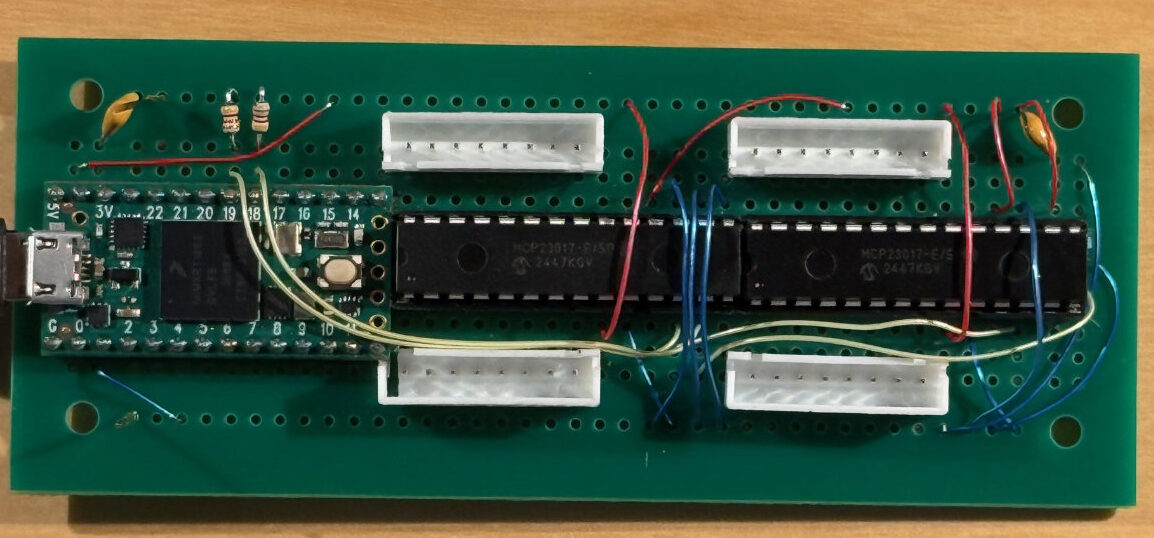
Building a Great Virtual Pipe Organ: MIDI Encoders for Pedals and Stops
The Virtual Pipe Organ MIDI Encoder
With the structural modifications to the organ console complete, it was time to turn to a less visible—but absolutely critical part of the Virtual Pipe Organ project: how the physical controls would be encoded as MIDI.
An organ console presents two very different encoding problems.
- A 32-note pedalboard, where each pedal behaves like a key and needs clean note-on and note-off messages.
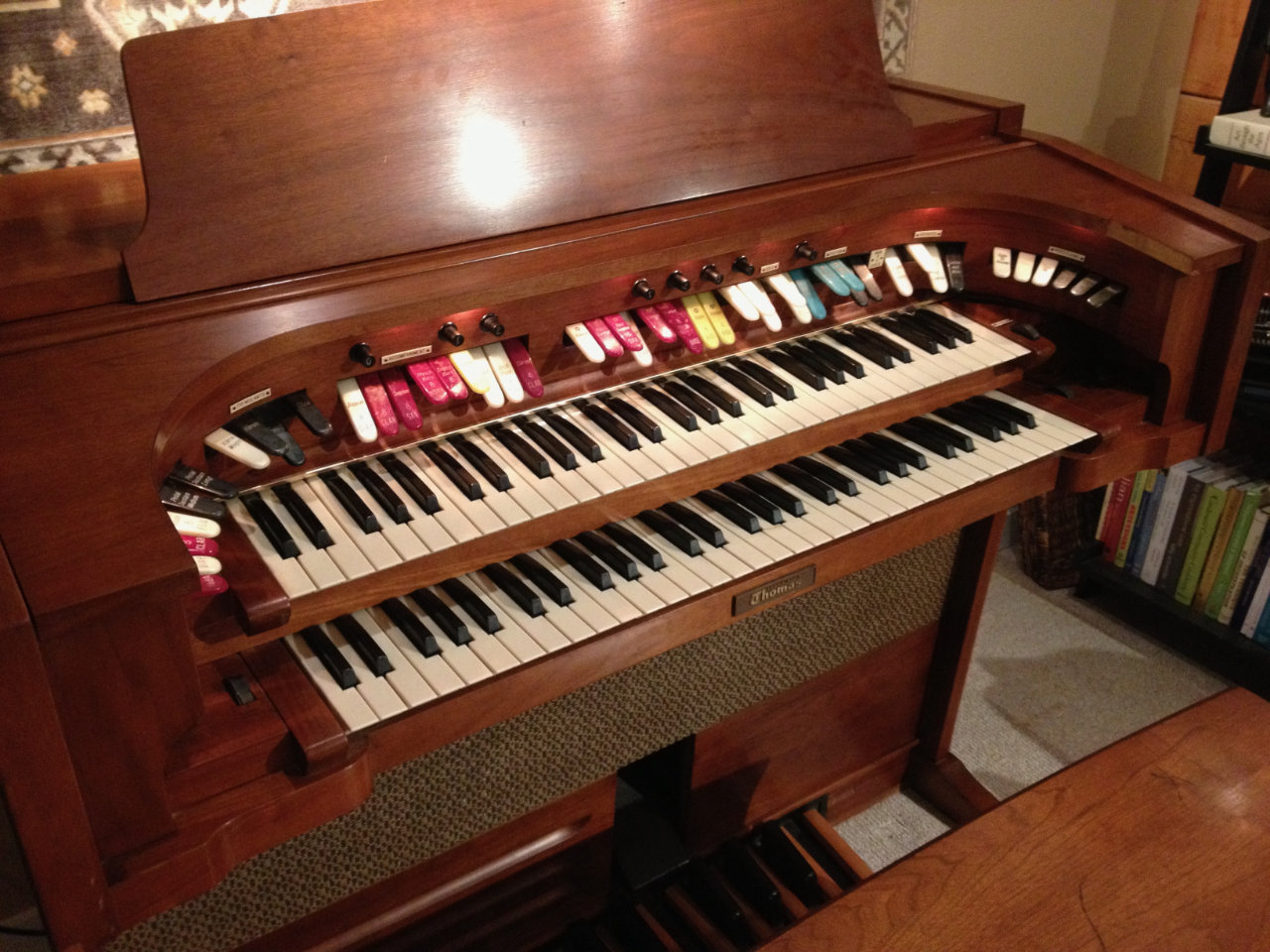
- A horseshoe rail of stop tabs, 48 in total, each acting more like an on/off control than a musical note.
Although these controls serve different musical purposes, they share an important trait: they all boil down to simple switch closures. Each pedal or tab ultimately connects (or disconnects) a wire to ground. The challenge is detecting those transitions reliably and translating them into the appropriate MIDI messages.
This post focuses on the first of those problems: encoding the 32-note pedalboard. A companion post will cover the stop tabs and the more refined production encoder that followed.
⸻
From Switch Closures to MIDI
I knew going in that this was a solved problem in principle. Plenty of devices can detect a transition to ground and report it digitally. The missing piece was turning dozens of those transitions into usable MIDI data.

The basic plan was straightforward:
- Detect each pedal press and release.
- Encode that event as a MIDI message.
- Send the MIDI data to the organ computer over USB.
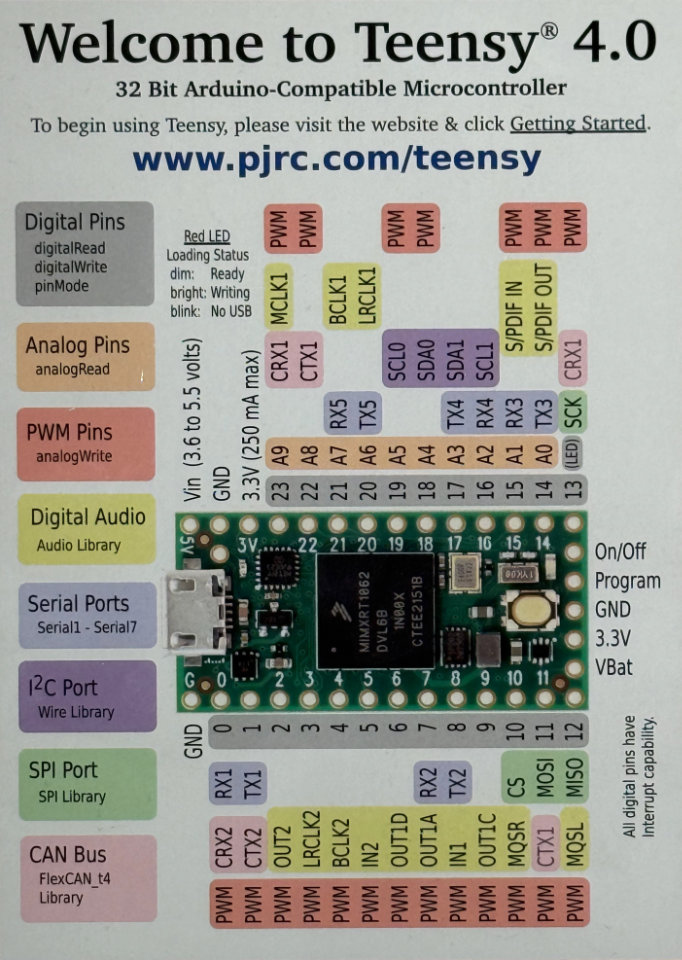
I had already seen several successful MIDI projects built around the Teensy microcontroller, and that made it a natural place to start. The Teensy is fast, well-supported, and includes native USB MIDI capability—meaning no extra hardware is required to talk to the host computer.
There was only one problem: pin count.
While the Teensy can easily detect a switch closure directly, it doesn’t have enough input pins to handle 32 pedals, let alone the additional stop tabs planned for later. Something else was needed to handle all those inputs.
⸻
Enter the MCP23017
This is exactly the kind of question ChatGPT excels at.
When I described the problem—“lots of switches, limited pins, want something simple and reliable”—it immediately suggested using the MCP23017 GPIO expander. Each MCP23017 provides 16 digital inputs and communicates with the microcontroller over I²C, a simple two-wire serial bus.
Two MCP23017s would give me exactly 32 inputs. Problem solved.
I²C itself is well suited to this kind of task. It uses just two shared wires:
- SDA (data)
- SCL (clock)
Multiple devices can live on the same bus, each identified by an address. The MCP23017 supports this nicely, and only three additional pins are needed to set each device’s address. Even better, the MCP23017 includes internal pull-up resistors, which greatly simplifies the wiring when you’re dealing with switches that pull to ground.
The overall wiring turned out to be refreshingly simple:
- SDA and SCL from the Teensy to both expanders
- Power and ground
- One wire per pedal switch, grounded when the pedal is pressed
Only the I²C bus itself requires pull-up resistors, and those are shared across the entire system.
⸻
Prototyping and First Notes
With the basic circuit defined, ChatGPT also provided a starting Arduino sketch. I wired the circuit on a breadboard, pasted the code into the Arduino IDE, and hit “Compile.”
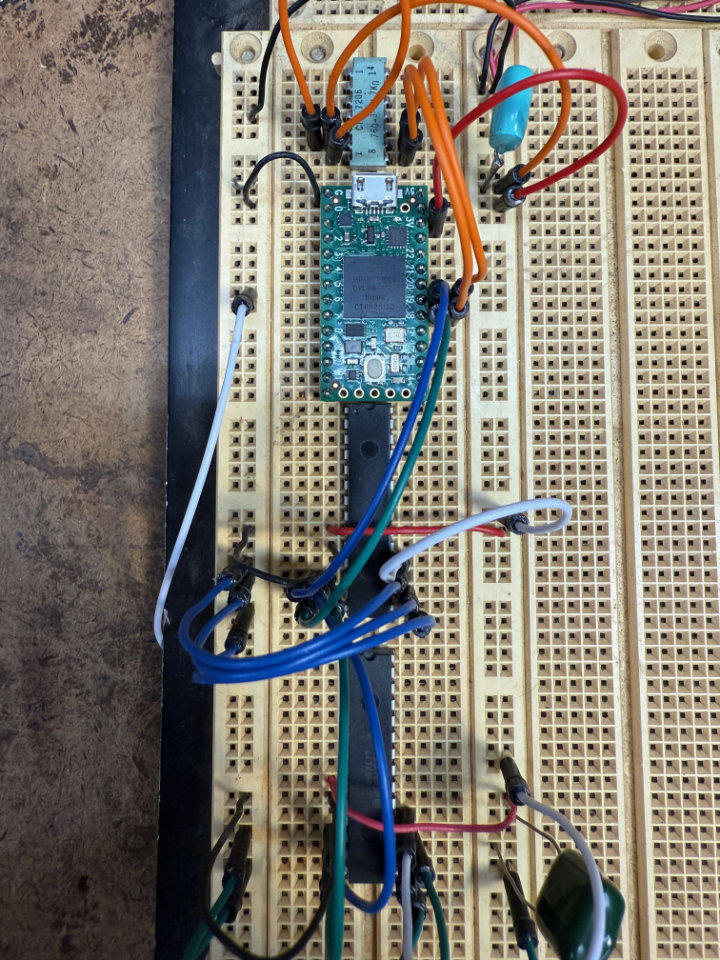
It didn’t compile cleanly on the first try.
That turned out to be part of the workflow. When the compiler complained, I copied the error messages back into ChatGPT, which suggested corrections. After a couple of quick iterations, the code compiled cleanly and uploaded to the Teensy.
With the USB cable still connected, I launched GarageBand. It immediately discovered a new MIDI device. I grounded one of the MCP23017 input pins, and a note sounded.
Awesome.
At that point I wasn’t even touching pedals yet—just manually grounding pins—but the entire signal chain was working: switch → microcontroller → USB MIDI → software instrument. The Virtual Pipe Organ MIDI Encoder was born.
⸻
Choosing the Right MIDI Messages
One of the advantages of doing this yourself is flexibility.
A grounded input can generate almost any MIDI message you want. For the pedalboard, note-on and note-off messages make perfect sense. For the stop tabs, other message types, such as Continuous Controller (CC) messages, are often more appropriate.
Those decisions are made entirely in software. The hardware simply reports which switch changed state; the Teensy code determines what MIDI message is sent.
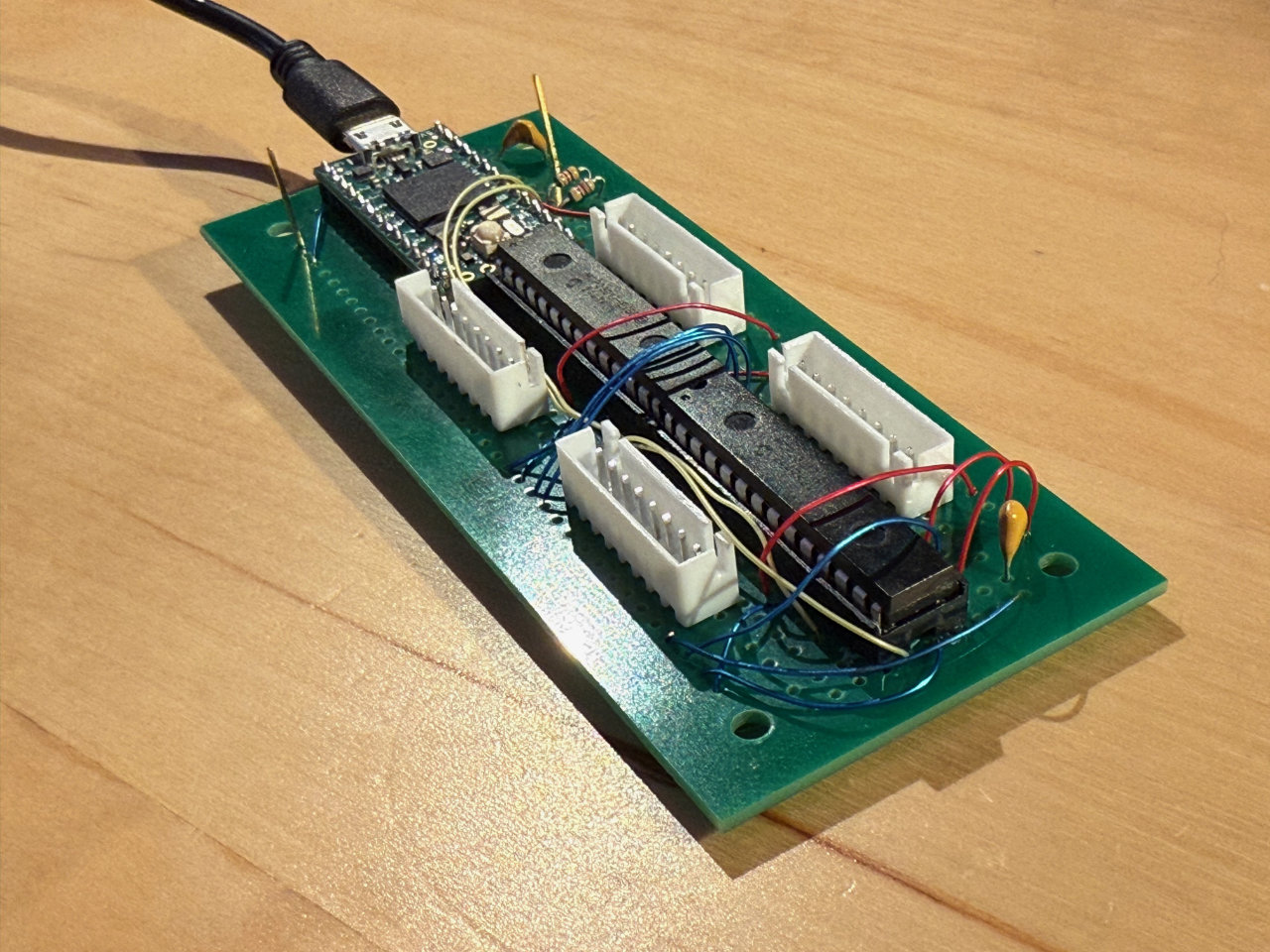
With the pedal encoder working reliably on the breadboard, I soldered up a more permanent version using a commercial prototyping board. After flashing the code and testing again, the pedalboard encoder was effectively complete.
Which meant it was time to turn to the much larger problem: 48 stop tabs.
⸻
Looking Ahead: Stop Tabs and a Production Board
The stop tabs raised the stakes considerably. Forty-eight inputs is a lot of wiring, and hand-wiring three MCP23017 expanders quickly starts to feel messy. That led naturally to the idea of a custom printed circuit board.
Around that same time, I received an unexpected email from PCBWay, asking whether I’d be interested in a collaboration on a future PCB project. The timing couldn’t have been better. The MIDI encoder was a perfect candidate: compact, repeatable, and well-defined.
That next phase—designing a production encoder board, refining the firmware, and moving from a one-off prototype to something robust and repeatable—deserves its own discussion.
In the next post, I’ll cover the stop tab encoder in detail and walk through the design and fabrication of the production PCB. For readers interested in the deeper technical aspects—firmware architecture, debounce strategies, and PCB layout—I’ll also be publishing a companion post on jimkerkhoff.com that dives into the engineering side of the Virtual Pipe Organ MIDI Encoder.
For now, the pedalboard is speaking MIDI, and the Virtual Pipe Organ is one step closer to playing music again.
Pingback:Designing A Multi-input MIDI Encoder For Multiple Switch Closures | Jim Kerkhoff
Pingback:Building a Great Virtual Pipe Organ: Stop Tab MIDI Encoder | Roy Creek Ranch
Pingback:Build a Great Virtual Pipe Organ | Roy Creek Ranch